Train your own
voice model.
Voxlet helps you create and train a voice model from your own recordings, then turn typed text into speech that sounds like you. Your recordings, models and generated audio stay on your Mac.
- Visits
- —
- Downloads
- —
Since tracking began · Downloads count starts, not installs.
From your recordings to your own model
A native Mac app that guides you through recording, training and comparing your voice, with no account and no cloud.
Train your own model
Turn your clean recordings into a personal voice model, then use it to speak text in your voice and compare the results side by side.
Private by design
Recordings, voice models and generated audio stay on your Mac. The only network use is the one-time download of the engines in Set up.
Try your voice before training
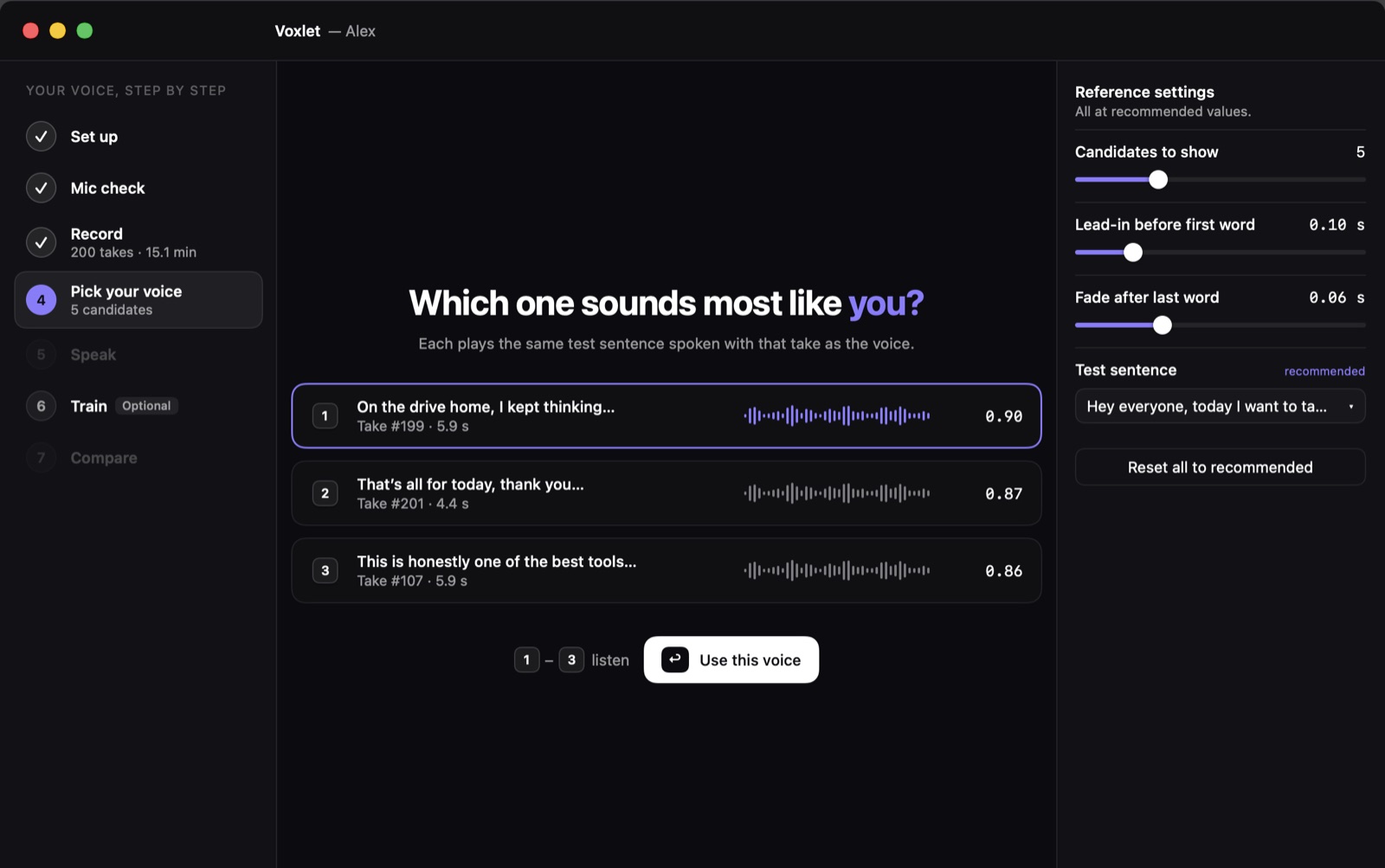
Start with Qwen3-TTS from one clean reference take, or try the optional LongCat engine. Fine-tune your own model when you're ready.
Guided recording
A built-in script, and every take checked for noise, clipping and dropouts, so you keep only clean audio.
How it works
Record your voice, choose a reference, then generate speech or train your own model. Seven guided steps, with later steps unlocking as you go.
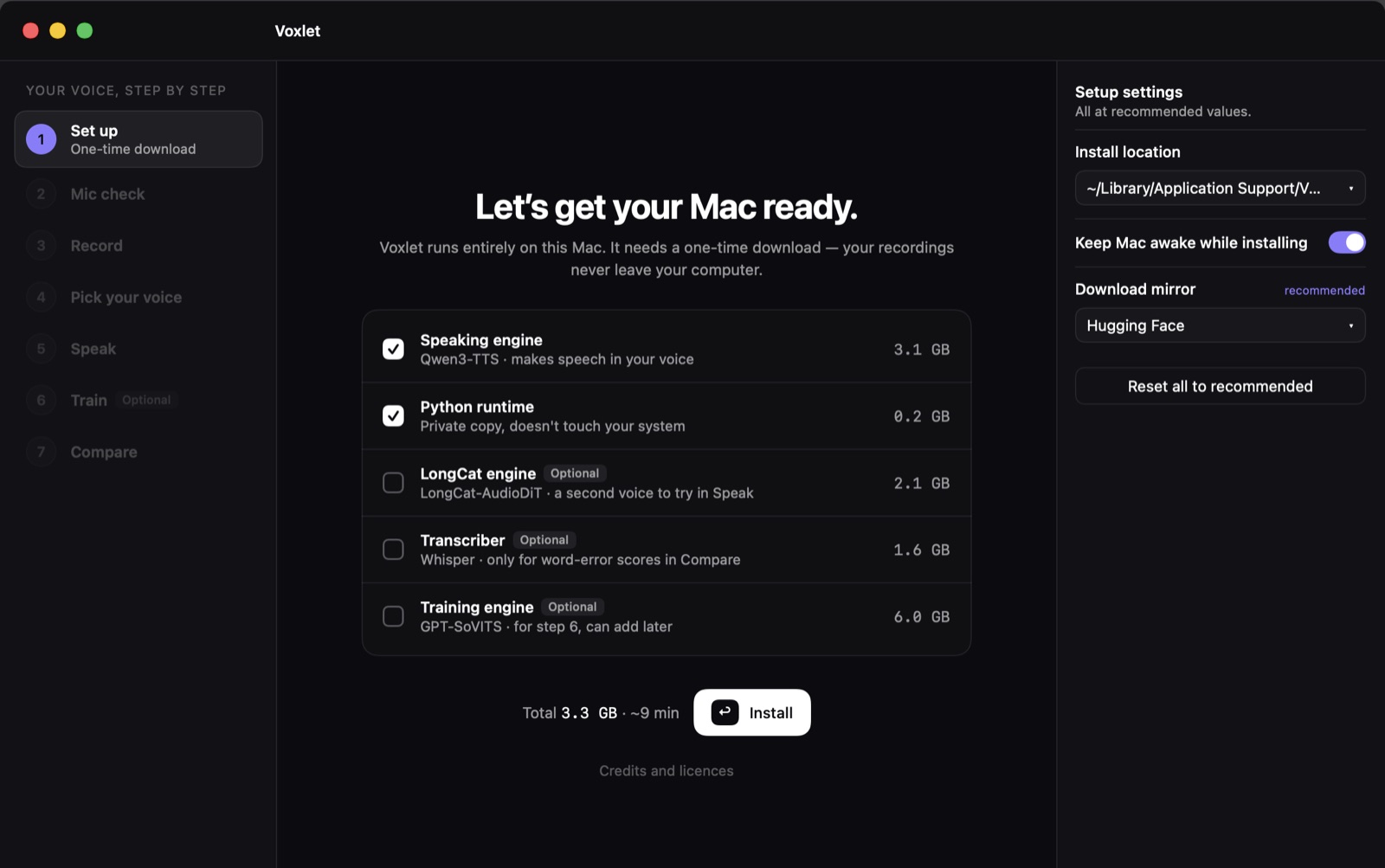
- 1Set upOne-time download of a private Python and the speaking engine, about 3.3 GB. Nothing touches your system.
- 2Mic checkThree seconds of silence and one line, to measure your room and your level.
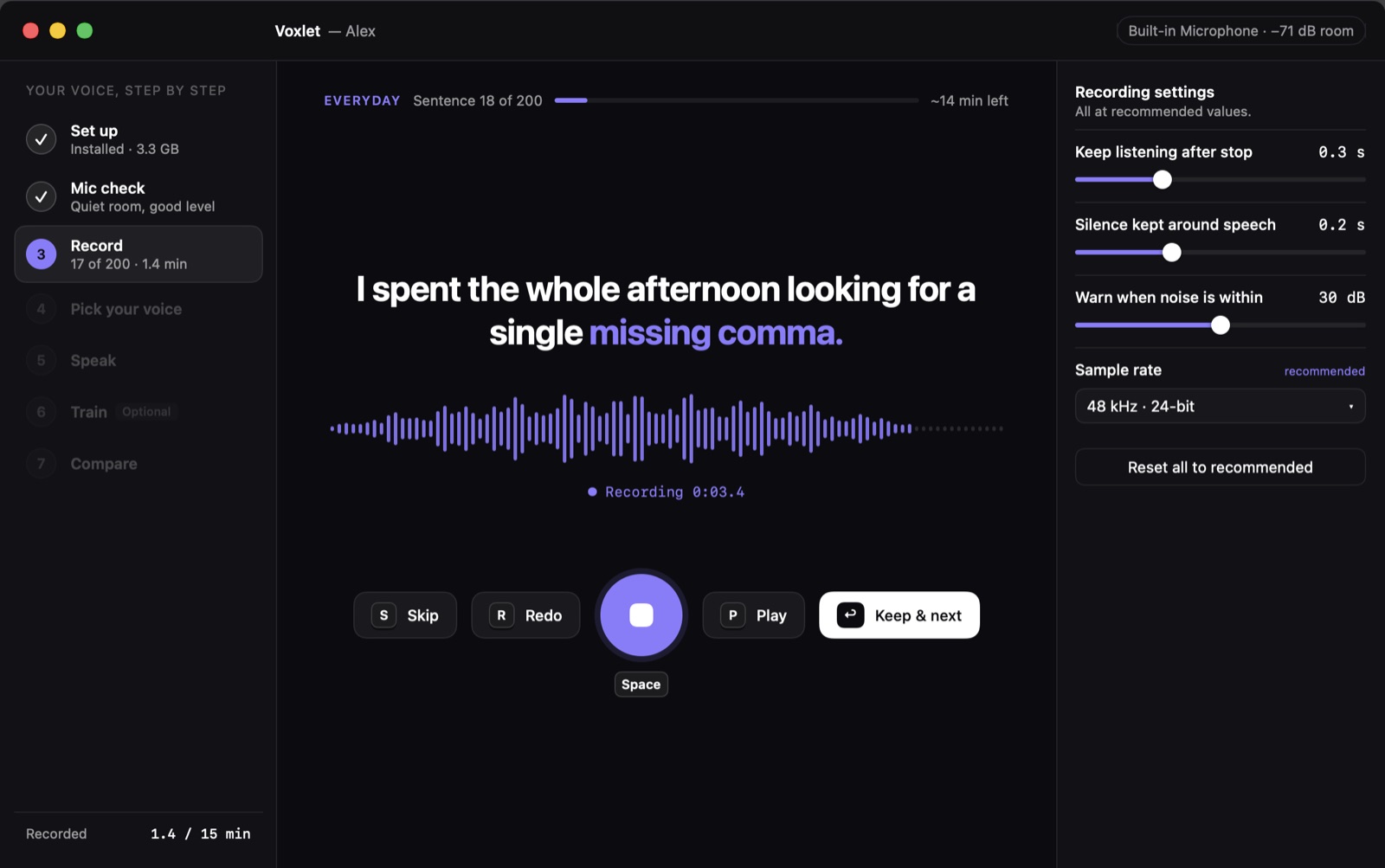
- 3RecordRead short sentences one at a time. Keep at least 20 takes to pick a voice.
- 4Pick your voiceThe app turns your best takes into voices that each say the same sentence. Keep the one that sounds most like you.
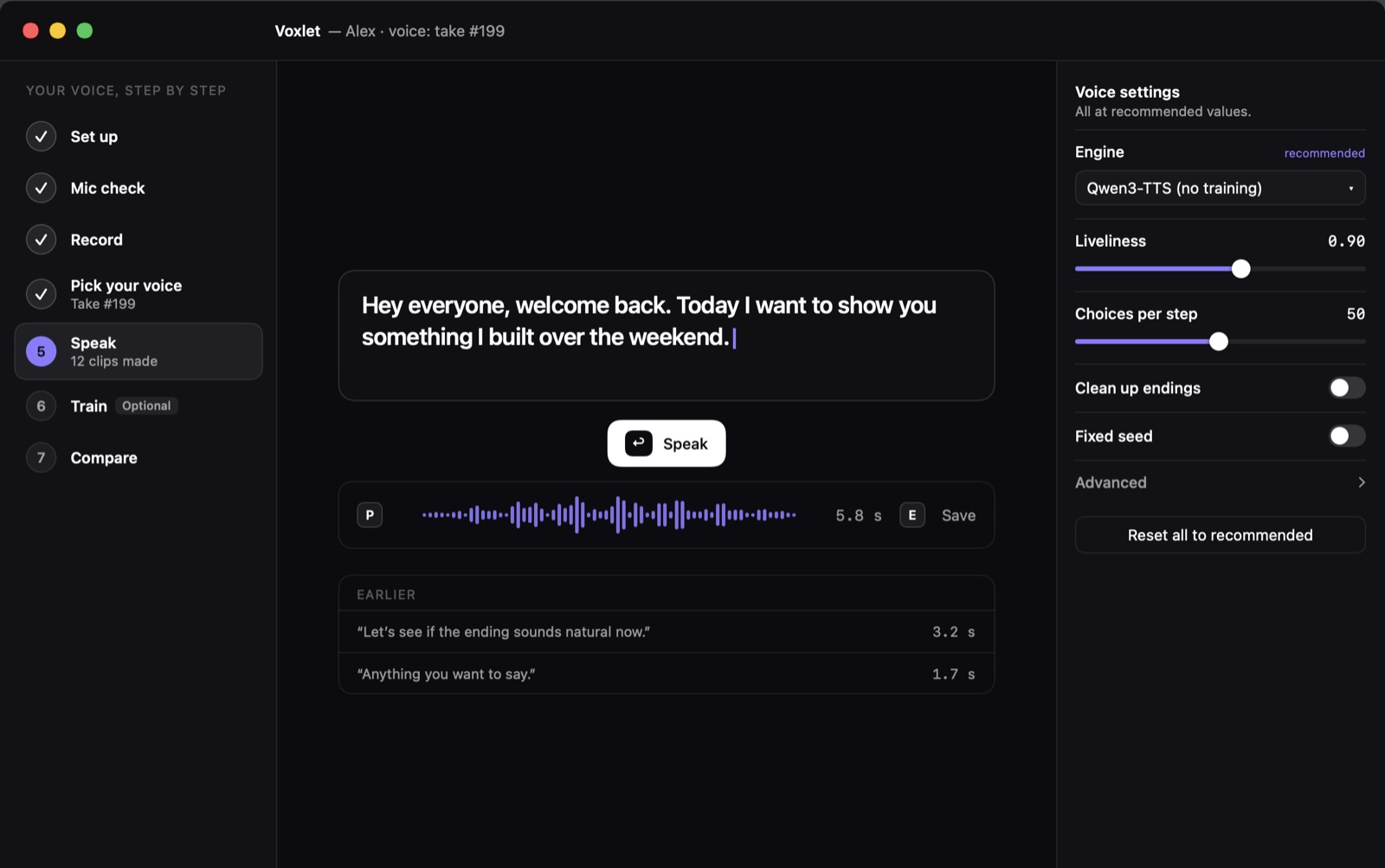
- 5SpeakType anything, hear it in your voice, save it as WAV or M4A.
- 6Train optionalFine-tune a GPT-SoVITS model on 100 or more clean takes, then use your trained model to speak in your voice.
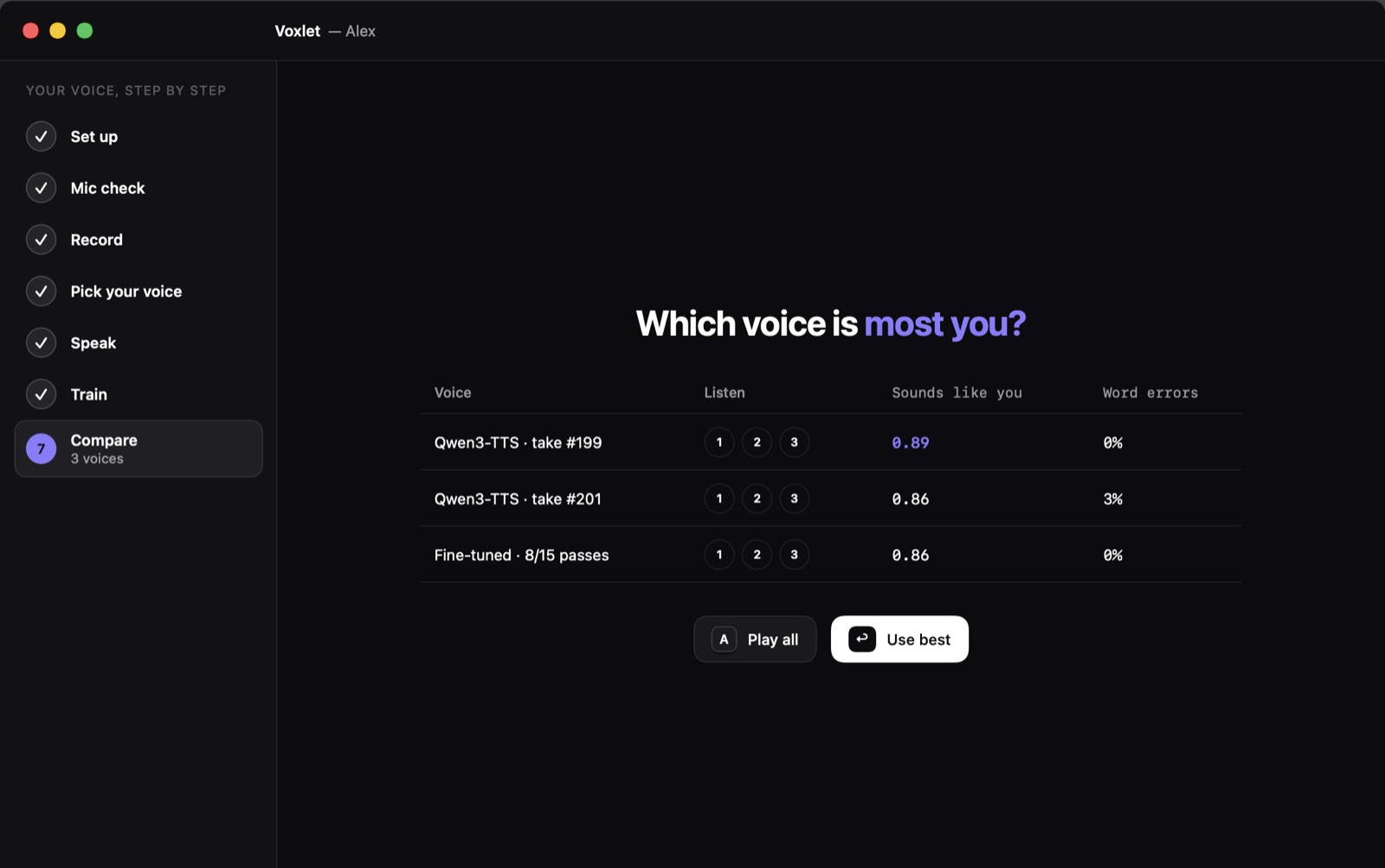
- 7CompareHear the same sentences in your reference voices and trained model side by side, with a "sounds like you" score.
A look inside
Install
- Download Voxlet-0.3.1-local.dmg and open it.
- If macOS says it cannot verify the installer, click Done. Open System Settings › Privacy & Security, scroll to Security, and click Open Anyway beside Voxlet. Authenticate and confirm Open.
- Drag Voxlet to Applications and open it. If macOS also blocks the app, repeat the same Open Anyway steps for Voxlet. This beta is self-signed and has not been notarized by Apple.
- Follow Set up in the app. It downloads its own engines into
~/Library/Application Support/VoiceCloneKit.
SHA-256 75d3e901773f77251c17c1d6049434fc888c30fe97b9c1318400a430438f7f31
Your own voice only
Use Voxlet only with your own voice, or with documented consent from the person whose voice you record. Don't use it to impersonate anyone.
Credits and licences
Voxlet downloads and runs these open models and tools on your Mac.
- Qwen3-TTS-12Hz-1.7B-Base (Alibaba Qwen), 8-bit MLX build · Apache-2.0
- LongCat-AudioDiT-1B (Meituan), 8-bit MLX build · MIT; umt5-base tokenizer (Google) · Apache-2.0 · optional
- mlx-audio (Blaizzy) · MIT
- Transformers and Tokenizers (Hugging Face) · Apache-2.0
- MLX (Apple) · MIT
- Whisper large-v3-turbo (OpenAI) · MIT; mlx-whisper · MIT · optional
- GPT-SoVITS (RVC-Boss) and its pretrained models · MIT · optional
- With the training engine: chinese-hubert-base · MIT; chinese-roberta-wwm-ext-large, ERes2NetV2, G2PW, NLTK data · Apache-2.0; Open JTalk dictionary · modified BSD
- uv (Astral) · MIT / Apache-2.0; Python · PSF licence